
|
Home > Image Object Packs
Download Image Object Packs
Royalty-free image objects for your projects
Objects are images which can be freely used in Axialis products. They are usually used to create attractive icons or screensavers. You need to install a compatible Axialis product before using an Object Pack. The Objects proposed below are available as stand-alone installable packs. Just download and launch the installation. The Objects will be installed in the proper location in your Axialis Librarian (usually in "My Documents").
• How to download and install Object Packs?
• What is an Image Object?
• How to use Image Objects to Create Icons?
License Agreement
Please read the License Agreement before downloading and using the packs. Some packs can be used with the tryout version but others may require a registered version (valid product key needed).
 |


Not yet registered? Download the Tryout Pack (50 objects - 427 Kb)

|
|
Lite Toolbars
Axialis Object Pack #6 For Icons
150 Objects - 1.0 MB |
  
Downloads:
4992
|
Description:
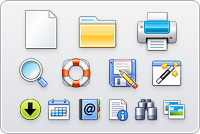
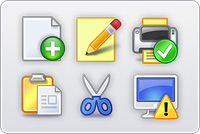
Axialis Object Pack #6 is composed of 150 objects (read more about objects) which permit creating icons for toolbars in 32x32, 24x24 and 16x16 formats. Using drag & drop, you can create icons by associating basic objects and action overlays. The style is clean and professional which make them suitable for commercial applications.
Important:
This pack is reserved to registered customers. A valid product key is required to download the full version containing all the objects (150 objects). If you are not registered, you can download the Tryout Pack which contains a limited number of objects (50 objects). |
Author: Axialis Team
License Type: Royalty-free (see License Agreement)
Required product:
IconWorkshop |
 |


Not yet registered? Download the Tryout Pack (150 objects - 1.8 Mb)

|
|
Web Illustrations
Axialis Object Pack #5 For Icons
2532 Objects - 11.9 MB |
 
Downloads:
4944
|
Description:
The pack is composed of 2532 hi-res objects (read more about objects) which have been designed to create high-quality icons for websites. By using drag & drop in Axialis IconWorkshop you can easily create icons featuring various shapes and, symbols for your website. With this pack create automatically a set of icons by using a new feature of IconWorkshop which permits merging a list of symbols over a fixed background. It contains 205 different symbols in several sizes and colors as well as hundreds of backgrounds. The possibilities are almost infinite!
Important:
This pack is reserved to registered customers. A valid product key is required to download the full version containing all the objects (2532 objects). If you are not registered, you can download the Tryout Pack which contains a limited number of objects (150 objects). |
Author: Axialis Team
License Type: Royalty-free (see License Agreement)
Required product:
IconWorkshop |
 |


Not yet registered? Download the Tryout Pack (62 objects - 1.74 Mb)

|
|
Realistic Buttons
Axialis Object Pack #2 For Icons
500 Objects - 13.6 MB |
 
Downloads:
80285
|
Description:
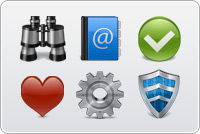
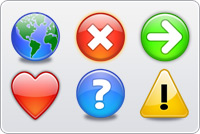
This pack is composed of 500 hi-res objects (read more about objects) which have been designed to create icons in the style of Windows Vista™. By using drag & drop in Axialis IconWorkshop you can easily create icons featuring various shapes, symbols, colors, shadows, inner lights, glossy effects. Using this pack you can easily create beautiful sets of buttons to be used in your projects (websites, application GUI, toolbars, dialog boxes...). With 156 symbols included and many shape effects (circle, rounded square, octagon, triangle) you can create a large variety of icons. Additionally, IconWorkshop permits you to create images at several sizes and color depth (16, 256, RGBA with alpha channel). To permit you to work faster, more than 780 ready-to-use derived symbols have been added to the pack, including effects like black emboss, black glossy, white emboss and white plastic. A blank version of the symbol set has been also added to permit you to create your own effects usinh Photoshop® or any image editor.
Important:
This pack is reserved to registered customers. A valid product key is required to download the full version containing all the objects (500 objects). If you are not registered, you can download the Tryout Pack which contains a limited number of objects (62 objects). |
Author: Axialis Team
License Type: Royalty-free (see License Agreement)
Required product:
IconWorkshop |
 |


Not yet registered? Download the Tryout Pack (52 objects - 1.15 Mb)

|
|
Web 2.0 Icons
Axialis Object Pack #4 For Icons
601 Objects - 8.32 MB |
 
Downloads:
29944
|
Description:
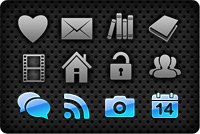
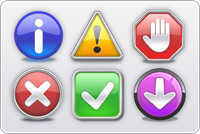
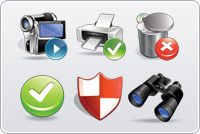
This pack is composed of 601 objects (read more about objects) which permits to quickly create icons in the style of Web 2.0. Using drag & drop, you can create in seconds icons and buttons for your websites and applications by associating background shapes, glossy effects, shadows and various ready-to-use texts and symbols. The objects, which are provided in 256x256 format with alpha channel, permit to easily create icons containing various sizes for Windows XP®, Windows Vista™ & MacOS®. The icons can also be saved as optimized GIF, JPEG or PNG images for inclusion in your websites. To permit you to work faster, more than 500 ready-to-use derived symbols and texts have been added to the pack, including effects like outer light glow, soft shadow, emboss and 15° rotation.
Important:
This pack is reserved to registered customers. A valid product key is required to download the full version containing all the objects (601 objects). If you are not registered, you can download the Tryout Pack which contains a limited number of objects (52 objects). |
Author: Axialis Team
License Type: Royalty-free (see License Agreement)
Required product:
IconWorkshop |
 |


Not yet registered? Download the Tryout Pack (24 objects - 1.46 Mb)

|
|
Quick Toolbars
Axialis Object Pack #3 For Icons
256 Objects - 5.06 MB |
 
Downloads:
30251
|
Description:
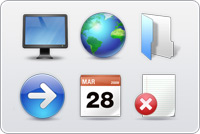
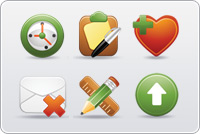
A collection of 256 objects (read more about objects) which permits to quickly create program toolbars. Using drag & drop, you can create in seconds icons and buttons for your toolbars by associating basic objects and overlays symbols. The objects do not contain details and have thick borders to allow the creation of small icons suitable for toolbars (32x32, 24x24, 16x16). The objects, which are provided in 256x256 format with alpha channel, permit to easily create icons containing various sizes for Windows XP®, Windows Vista™ & MacOS®.
Important:
This pack is reserved for registered customers. A valid product key is required to download the full version containing all the objects (256 objects). If you are not registered, you can download the Tryout Pack which contains a limited number of objects (24 objects). |
Author: Axialis Team
License Type: Royalty-free (see License Agreement)
Required product:
IconWorkshop |
 |
|
|
Glossy Buttons
Axialis Object Pack #1 For Icons
150 Objects - 1.61 MB |

Downloads:
117190
|
Description:
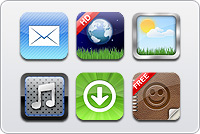
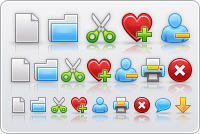
A collection of 150 objects (read more about objects) to create nice looking glossy icons. By using drag & drop in IconWorkshop, create in seconds icons featuring various shapes, symbols, colors, shadows, inner lights, glossy effects. The objects are provided in 256x256 format with alpha channel. It permits to easily create icons containing various sizes for Windows XP, Windows Vista™ & MacOS®.
Author: Axialis Team
License Type: Royalty-free (see License Agreement)
Required product:
IconWorkshop |
 |
|
How to download and install an Object Pack?
The Image Objects are distributed in a self-install package. Just download the file by clicking the "Download Now" button. It is an executable file (EXE) so you may be prompted by Windows® or any other antivirus application to confirm the download and execution of the file. Click "YES".
 |
Install packages that you download on Internet may contain viruses. However your security is our priority and all our files are periodically tested against all known viruses. Also, if you have an Antivirus software installed, the file will be automatically checked before it is launched.
|
When downloaded, launch the installation and follow the procedure. When done, the objects are installed in the "Axialis Librarian" folder. If an associated application is installed it is launched.
Related Topics
Privacy policy |
Terms of use |
User license agreements |
Contact us
|